"An Error Has Occurred While Processing Your Credit Card." is Displayed
This page describes how to solve the issue when you receive an error message and fail to add a credit card to cybozu.com Store.
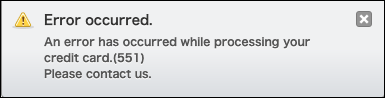
Example of an error message
An error has occurred while processing your credit card. (***)
Please contact us.
Solution
Clear your Web browser's cache, or use a different Web browser.
As for how to clear your Web browser's cache, refer to the following pages.
- For Google Chrome (Only available in Japanese)
- For Microsoft Edge (Only available in Japanese)
- For Mozilla Firefox (Only available in Japanese)
- For Safari (Only available in Japanese)
If None of the above Solutions Solve the Issue
If none of the above solutions solve the issue, contact your credit card company.
Also consider using a different credit card or changing your payment method.
Changing the Payment Method