Trying Out Additional cybozu.com Services and Optional Services
This page describes how to try out additional cybozu.com services and optional services on a domain already under a subscription or trial.
If you purchased cybozu.com via partners, contact them.
Steps
-
Log in to cybozu.com Store.
Logging In to cybozu.com Store -
On the Services License screen, click Trial.

-
In the Your trial servicesection, select the domain you want to use. You can also create a new domain.
If you are using multiple domains, click the drop-down menu to display the options.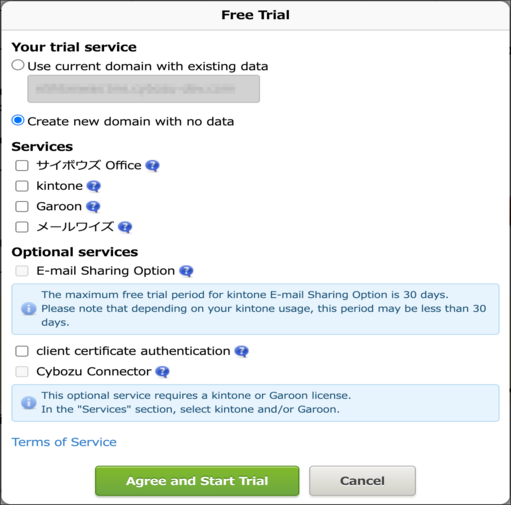
-
From the listed services and optional services, select the ones you want to try out.
-
Confirm your entries and click Agree and Start Trial.
When the service preparation is complete, an email will be sent to the email address registered in cybozu.com Store.