Checking users of services
This page describes the steps to check the services that users are using.
Checking the services that users are using
-
Access cybozu.com administration.
Accessing cybozu.com administration -
Click Departments & users.
-
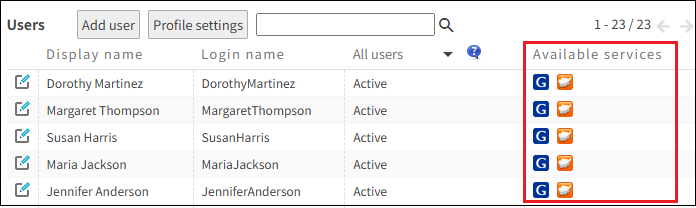
Check Available services for users.
If you click a department, only the members who belong to the department are displayed.
Checking users of each service
-
Access cybozu.com administration.
Accessing cybozu.com administration -
Click Services & users.
-
From the dropdown list, select the service to confirm its users.

-
Check "Users of 'service name'".
If you click a department, only the members who belong to the department are displayed.
