Start creating pre-registered data
Start creating pre-registered data in Tentative reorganization.
Steps
-
Access cybozu.com administration.
Accessing cybozu.com administration -
Click Tentative reorganization.

-
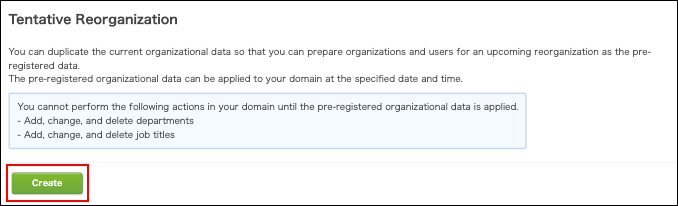
Click Create.
-
Wait for a while and then refresh the page.
When the "Create" button is not displayed
When unapplied pre-registered data exists in cybozu.com, the Create button will not be displayed on the Tentative reorganization screen.
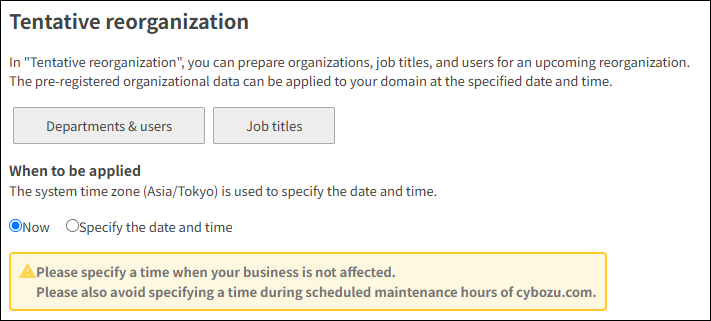 Follow the steps below to resolve the issue.
-
Check for changes in the unapplied pre-registered data.
Checking for changes in the pre-registered data -
Apply the data immediately to your domain if the changes are appropriate.
If the changes are unnecessary, delete the existing pre-registered data. -
Start creating pre-registered data again.
Limitations
When you create pre-registered data, the following actions cannot be performed.
- Actions on departments and job titles
The menus and buttons become unavailable in the Departments & users and Job titles screens. - Add, change and delete departments or job titles using a file import or an API
- Migrate data from on-premise version
Even if you change the user information in your domain after creating pre-registered data, your changes will not affect the pre-registered data. Change the following items in pre-registered data as needed.
- Departments to which users belong and users' job titles
- Primary department
- Display order
- Status
Adding users
You cannot add users in Tentative reorganization. Add users in the Departments & users screen.
When you add users after creating pre-registered data, the newly-added users will be treated as Users not yet assigned in the pre-registered data.Change their department in the pre-registered data, if necessary.
Changing the departments to which a user belongs
Deleting users
You cannot delete users in Tentative reorganization. Delete users in the Departments & users screen.
When you delete users from your domain after creating pre-registered data, those users will also be deleted from the pre-registered data.