Preparing job titles
This page describes how to change the job title information of the pre-registered data in Tentative reorganization.
Screen to prepare job titles
-
Access cybozu.com administration.
Accessing cybozu.com administration -
Click Tentative reorganization.

-
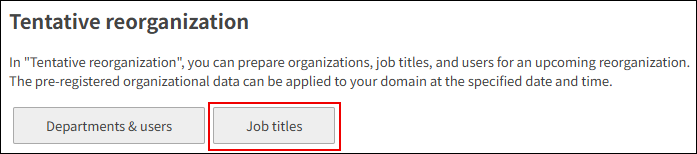
Click Job titles.
Adding job titles
In Tentative reorganization, add job titles.
-
Display the screen to prepare job titles.
Screen to prepare job titles -
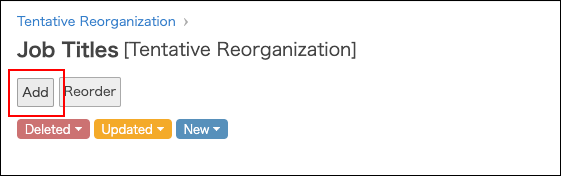
Click Add.
-
Enter the values such as job title and job title code.
For details on the fields, refer to the following page:
Items of job title information -
Click Change user information.
Changing job titles of users
In Tentative reorganization, change the job titles of users.
-
Display the screen to prepare users.
Screen to prepare users -
In the Department(s) section, click the tree icon to select the desired department.

-
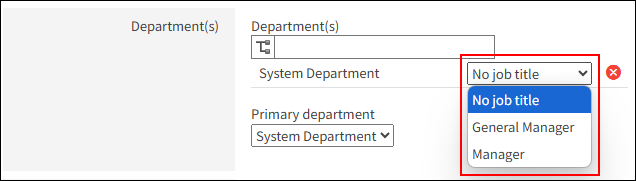
Click the job title dropdown list, and select the target job title.
You can select one job title per department.
-
Click Change user information.
Changing job title information
In Tentative reorganization, change the job title information.
-
Display the screen to prepare job titles.
Screen to prepare job titles -
Click the Change button.

-
Change the job title information.
-
Click Save.
Changing display order of job titles
In Tentative reorganization, change the display order of job titles.
-
Display the screen to prepare job titles.
Screen to prepare job titles -
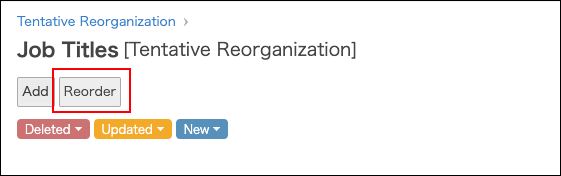
Click Reorder.
-
Change the display order of job titles by drag-and-drop.
-
Click Save.
Deleting job titles
In Tentative reorganization, delete job titles.
As for notes on deleting job titles, refer to the following page:
Notes on deleting job titles
-
Display the screen to prepare job titles.
Screen to prepare job titles -
Click the Change button.
-
Click Delete job title.
-
On the confirmation screen, click Delete.