
Fields available in kintone
This page describes the fields available to use in kintone. You can choose from a variety of fields.
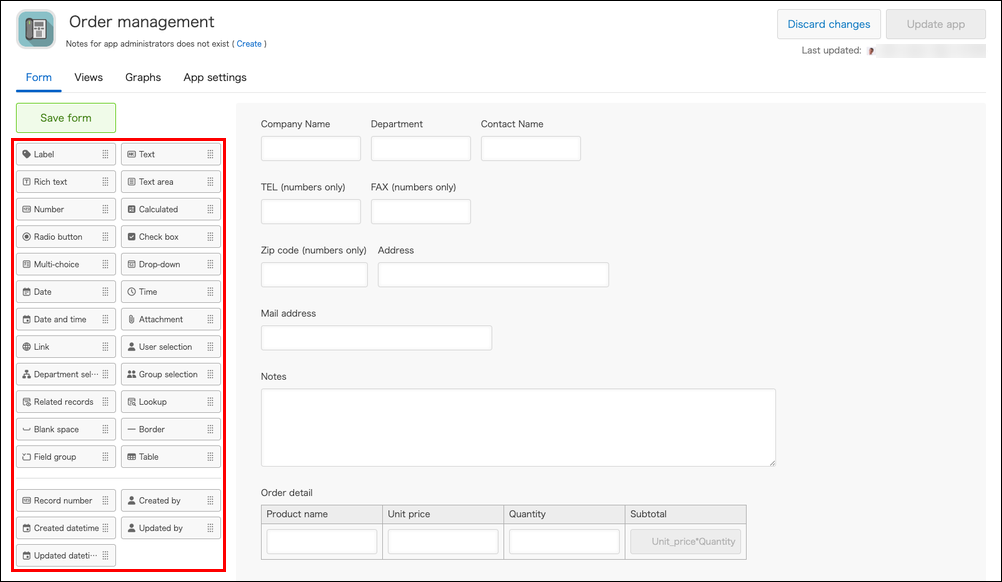
Fields
To see the details of a field, click its link in the Field to use column.
| Field category | Fields to use |
|---|---|
| Text | |
| Calculated | |
| Option | |
| Date and time | |
| URL, telephone number, email address | |
| File |
Fields for creating a table
| Field category | Fields to use |
|---|---|
| Table |
Fields for enabling app integration
| Field category | Fields to use |
|---|---|
| App integration |
Fields for formatting the app form
| Field category | Fields to use |
|---|---|
| Form formatting |
Fields for displaying record information
| Field category | Fields to use |
|---|---|
| Record information |