
Customizing the login page
You can change the company name and the background image displayed on the login page. By default, the company name you have registered in cybozu.com Store is displayed.
This action can be performed only by cybozu.com administrators.
-
Click the Settings icon (the gear-shaped icon) at the top of kintone, and click Users & system administration.
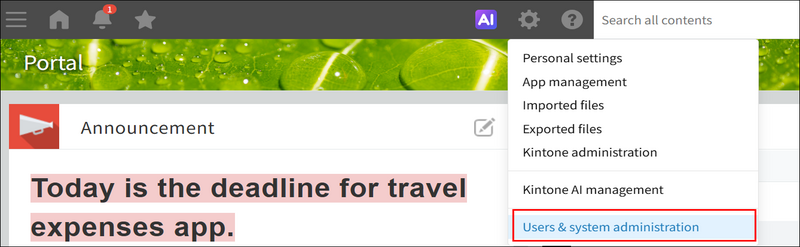
-
Click Login page under Customize.
-
If you want to change the company name, enter a new name in the Welcome Text field. If you do not want to display any text, leave this field blank.
-
If you want to change the background image, click Browse and select an image file.
-
Click Save.