
Setting Limits on AI Credit Usage
This section describes how to set a monthly limit on the usage of AI credits for the JavaScript API to generate text with Generative AI across kintone. Setting a limit helps prevent excessive use of AI credits for this API, which may cause other AI features to become unavailable.
You can check the current month's usage of this API on the AI credit usage screen. For details, refer to the following page.
Checking AI Credit Usage
Steps
-
Click the Settings icon (the gear-shaped icon) at the top of kintone, then click kintone administration.
-
Clicking kintone AI management in the AI section on the kintone administration screen opens the kintone AI management screen.
-
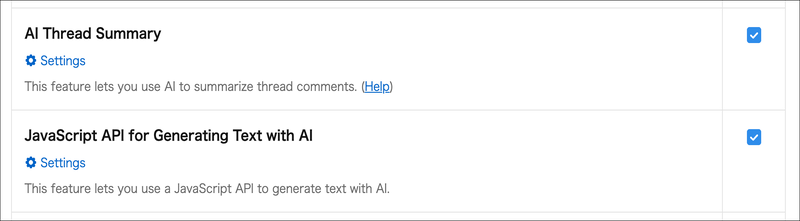
On the kintone AI management screen, in the AI features section, click Settings under the feature name JavaScript API for Generating Text with AI.
-
On the "JavaScript API for Generative AI Text Generation" screen, click the "Set limit" icon (gear-shaped) to the right of"(No limit set)".
-
In the displayed input field, enter the number of AI credits to set as the limit.
-
Click "Save".
The limit you set will be displayed.