
Clearing Lookup settings
To clear the settings of a lookup, delete the Lookup field that is being used. Even if you delete a
Lookup field, the values of other fields in registered records will not be affected.
To delete a Lookup field, follow the steps below.
-
Click the App settings icon (the gear-shaped icon) at the upper right of the View screen.

-
On the App settings screen, click the Form tab.
-
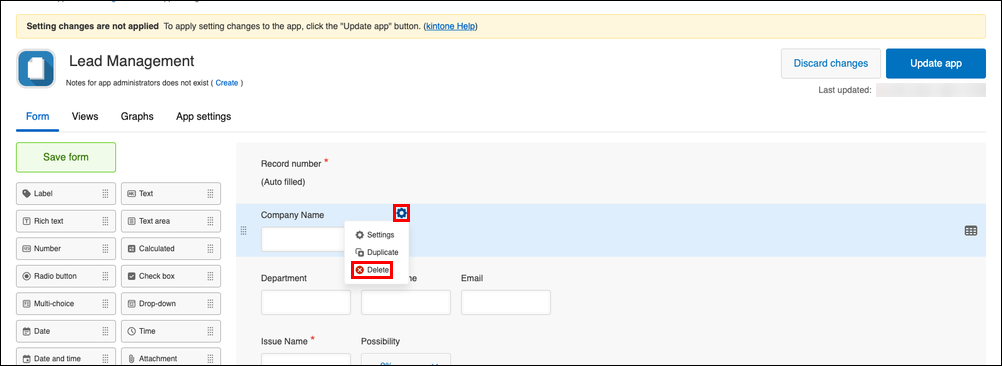
Hover your cursor over the Settings icon (the gear-shaped icon) at the upper right of theLookup field that you want to delete on the form settings screen, then click Delete.
-
On the Delete field dialog, click Delete.
-
Click Save form on the upper left side of the screen.
-
Click Update app at the upper right of the screen.
-
On the Update app dialog, click Update app.