
Changing the header logo
You can change the header logo and the URL of the page that opens when you click the logo.
The changes apply to all users.
For example, you can set your company logo and website URL to make kintone feel more familiar to users.

To change the setting, follow the steps below.
-
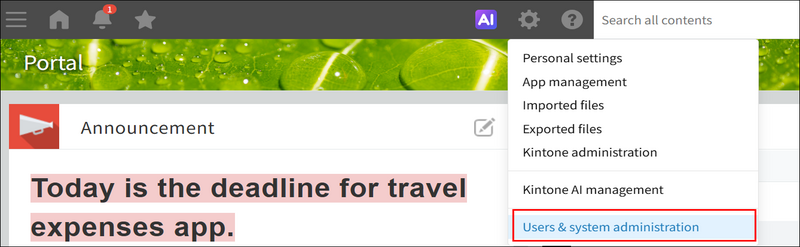
Click the Settings icon (the gear-shaped icon) at the top of kintone, and click Users & system administration.
-
Click Logo under Customize.
-
Upload the image file for the logo and/or specify the URL of the page to be displayed when the logo is clicked.
-
Click Save.