
Key updates for October 2026
Here's what's included in the update released on October 11.
| New features under consideration |
|---|
| Changes to update options |
|---|
For details on the API updates, see the "API Updates" page. kintone API updates made during maintenance
The information on this page reflects the update details available at the time of publication and is subject to change.
For information on other changes not listed here, please see the regular maintenance information.Changes made during maintenance (Only available in Japanese)
UsageThe Usage dashboard now shows your kintone AI usage and AI credit usage
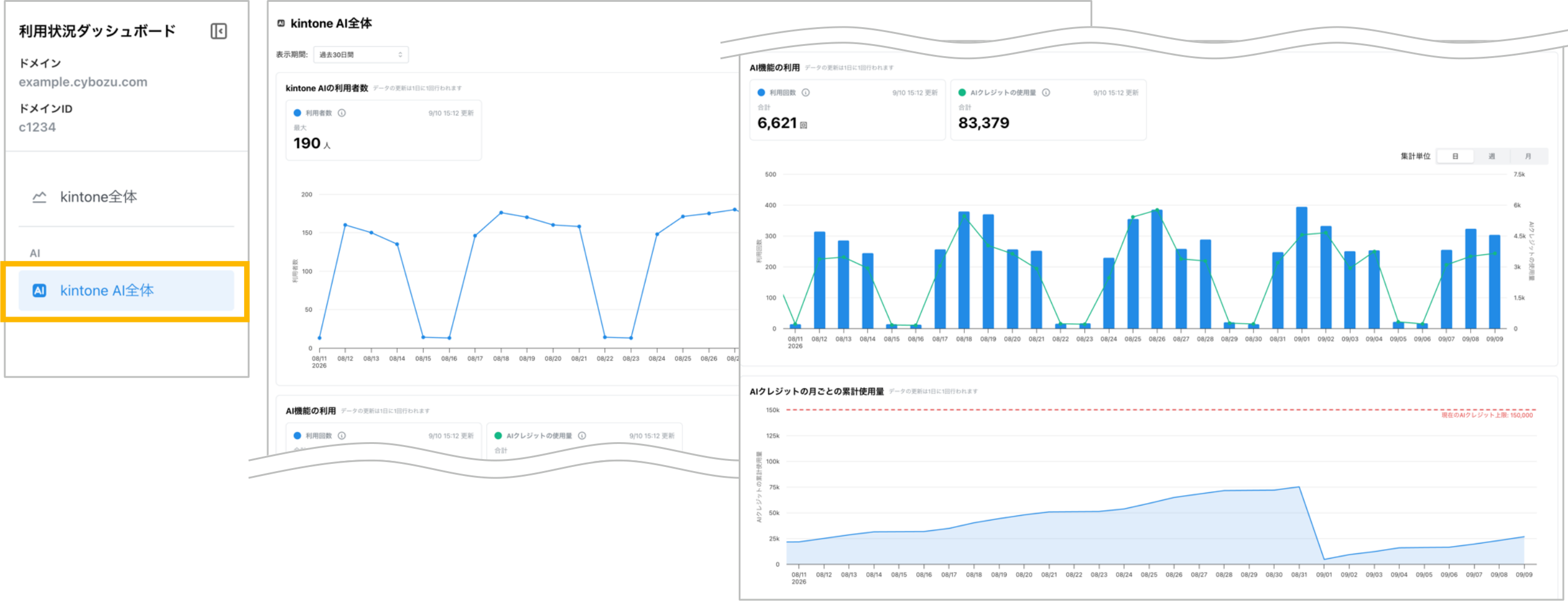
We've added a section to the Usage dashboard where you can check your usage of kintone AI.
In addition to the number of users and times AI features are used, you can also track AI credit usage trends and compare your monthly cumulative usage with your AI credit limit. Use this information to understand how AI features are being adopted within your organization and plan how best to use them.
Audit logsWide license plan onlyAudit logs can now be integrated with SIEM
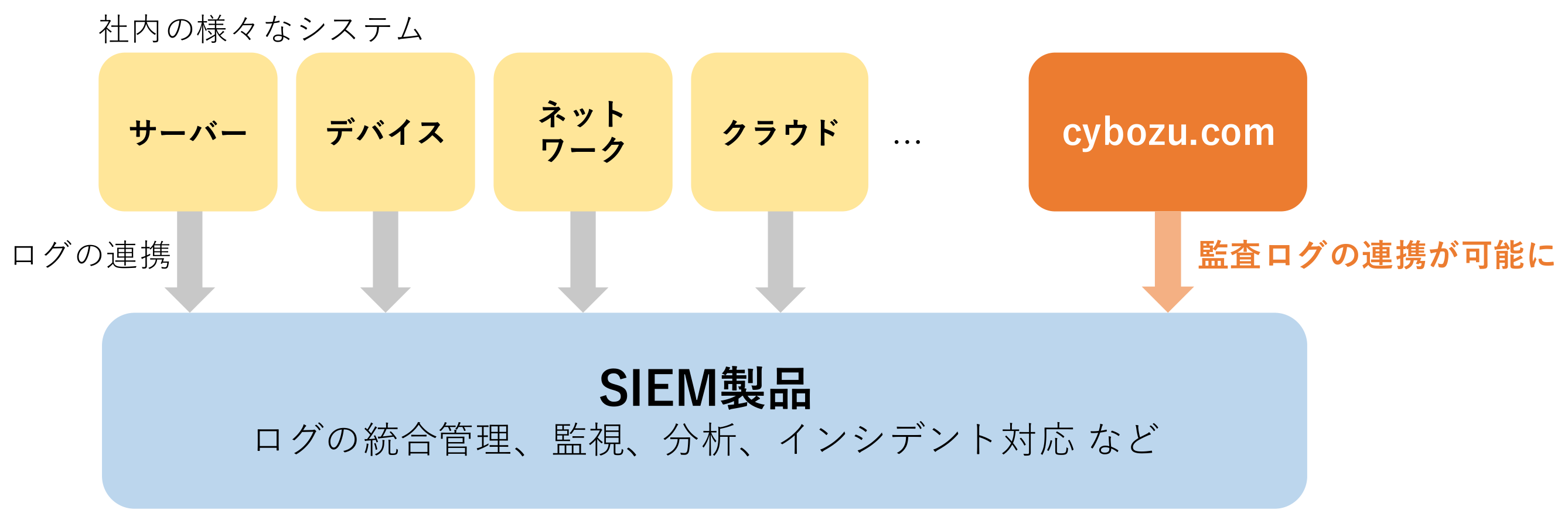
You can now send cybozu.com audit logs to your SIEM solution and view them there.
SIEM (Security Information and Event Management) is a system that collects logs from various applications, servers, and other sources. It can be used to investigate incidents and automate and streamline security operations.
By integrating cybozu.com audit logs with your SIEM solution, you can take advantage of its log analysis and anomaly detection capabilities, enabling more advanced monitoring of your logs. You can also centrally manage logs from cybozu.com alongside logs from other systems within your organization, making it possible to investigate them together.
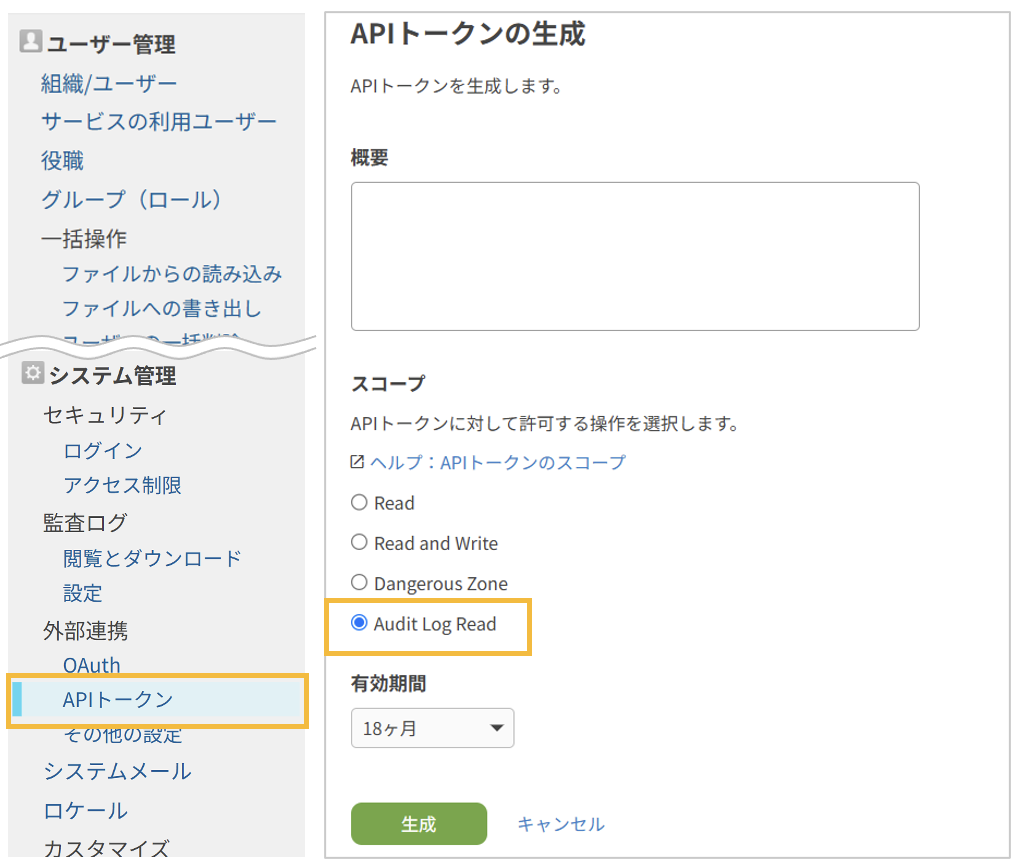
You can generate an API token for SIEM integration from the "Generate API token" screen in "Users & system administration".
Once you register the token with your SIEM solution and configure it there, your SIEM solution will start receiving your audit logs.
JavaScript API (App)You can now show or hide the "Add row" and "Delete this row" buttons in "Table" fields, and retrieve their display state
| Show or hide the "Add row" button (desktop) | kintone.app.record.showAddTableRowButtons() |
| Show or hide the "Add row" button (mobile) | kintone.mobile.app.record.showAddTableRowButtons() |
| Show or hide the "Delete this row" button (desktop) | kintone.app.record.showDeleteTableRowButtons() |
| Show or hide the "Delete this row" button (mobile) | kintone.mobile.app.record.showDeleteTableRowButtons() |
| Retrieve the display state of the "Add row" button (desktop) | kintone.app.record.getAddTableRowButtonsDisplayState() |
| Retrieve the display state of the "Add row" button (mobile) | kintone.mobile.app.record.getAddTableRowButtonsDisplayState() |
| Retrieve the display state of the "Delete this row" button (desktop) | kintone.app.record.getDeleteTableRowButtonsDisplayState() |
| Retrieve the display state of the "Delete this row" button (mobile) | kintone.mobile.app.record.getDeleteTableRowButtonsDisplayState() |
OtherOther updates, improvements, and fixes
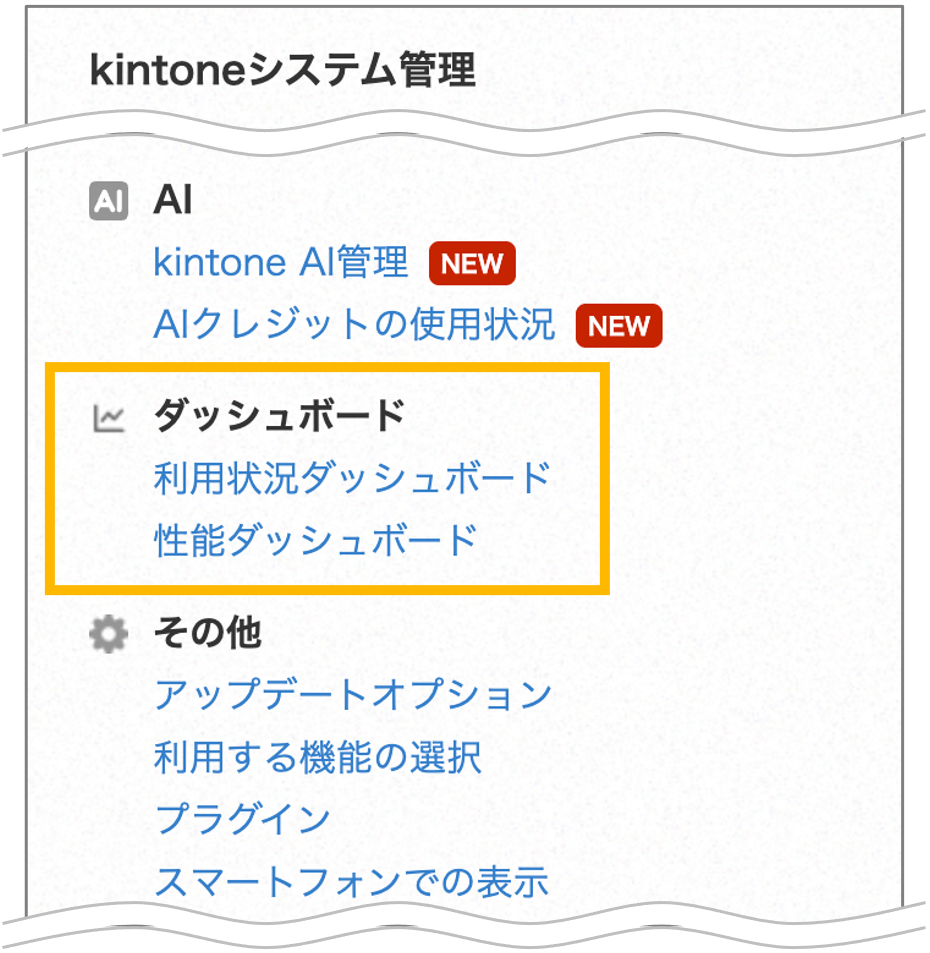
■ Setup is no longer required to view the Usage and Performance dashboards
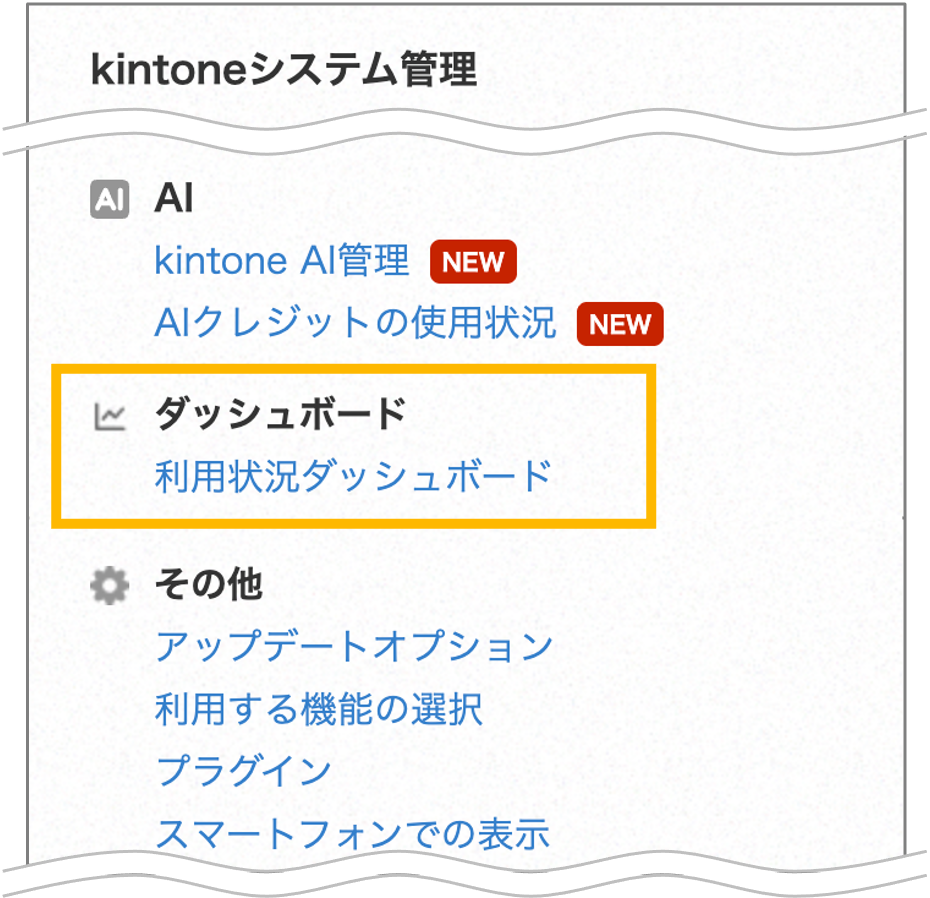
Previously, you had to enable the Usage dashboard and Performance dashboard under "Feature activation" before you could use them. That's no longer necessary — you can now open them straight from the links on the "kintone administration" screen.
The links now appear under "Dashboards" . They previously appeared in the "Other" section.
New features under consideration
These are features currently under consideration for official release.
You can try them out by enabling them on the "Update options" screen in "kintone administration".
We'd love to hear what you think about these features.
Please send us any feedback through the Help us improve kintone form.
| Tablet app | Introducing "kintone Touch," a tablet app for deskless workers |
|---|---|
| Platform | Further improvements: - Front-end infrastructure update (space and thread screens) |
| JavaScript API (App) | New JavaScript API for generating text with generative AI added to the API Lab |
| REST APIs | The API for searching across kintone now supports searches that include related terms |
* Note that features under consideration may have their specifications changed, or be added to or removed from the "Update options" screen, at any time — not only during regular maintenance.
Tablet appIntroducing "kintone Touch," a tablet app for deskless workers
We're introducing "kintone Touch," a tablet app that lets you build and use forms tailored to the work of non-desk workers (people whose jobs take them away from a desk). This first release is for iPadOS, with an Android version planned for later.
Alongside kintone's existing form screens, this tablet app lets you build forms using an interface designed around how non-desk workers actually work. That makes it easier to create forms people can fill in easily out in the field, and extends kintone — previously built mainly around desk work — to a much wider range of jobs.
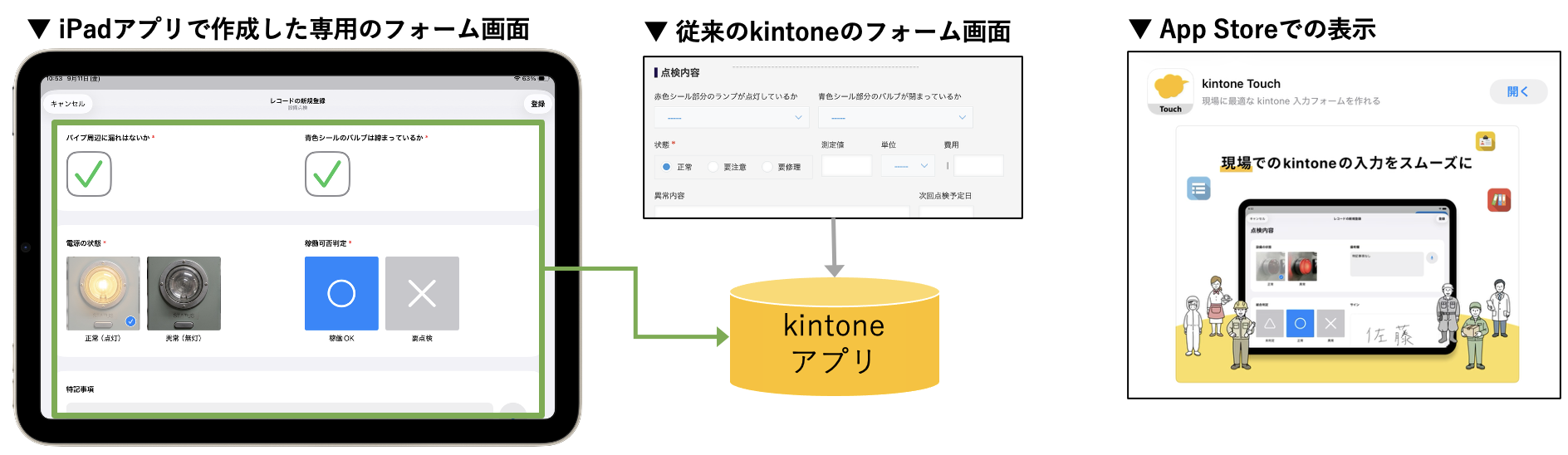
■You can set up interfaces for fields that are tailored to how people actually work on site
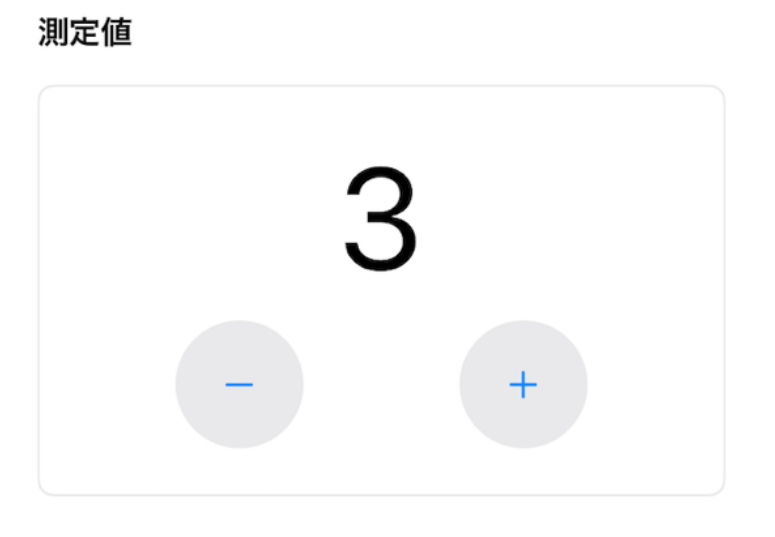
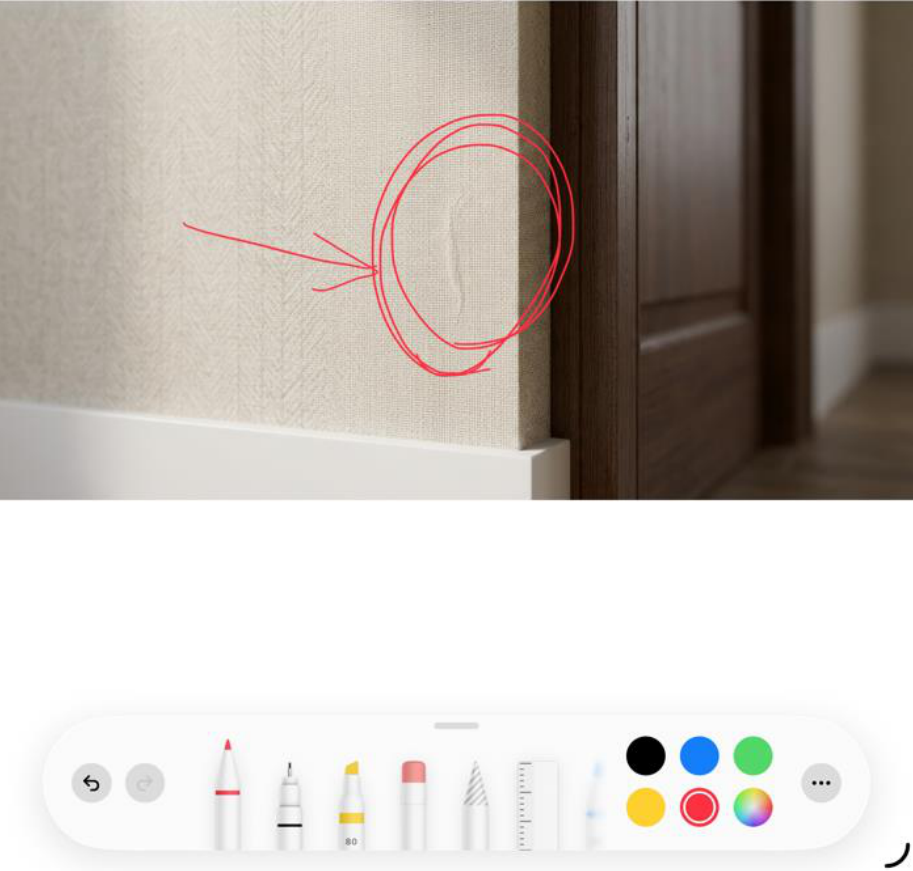
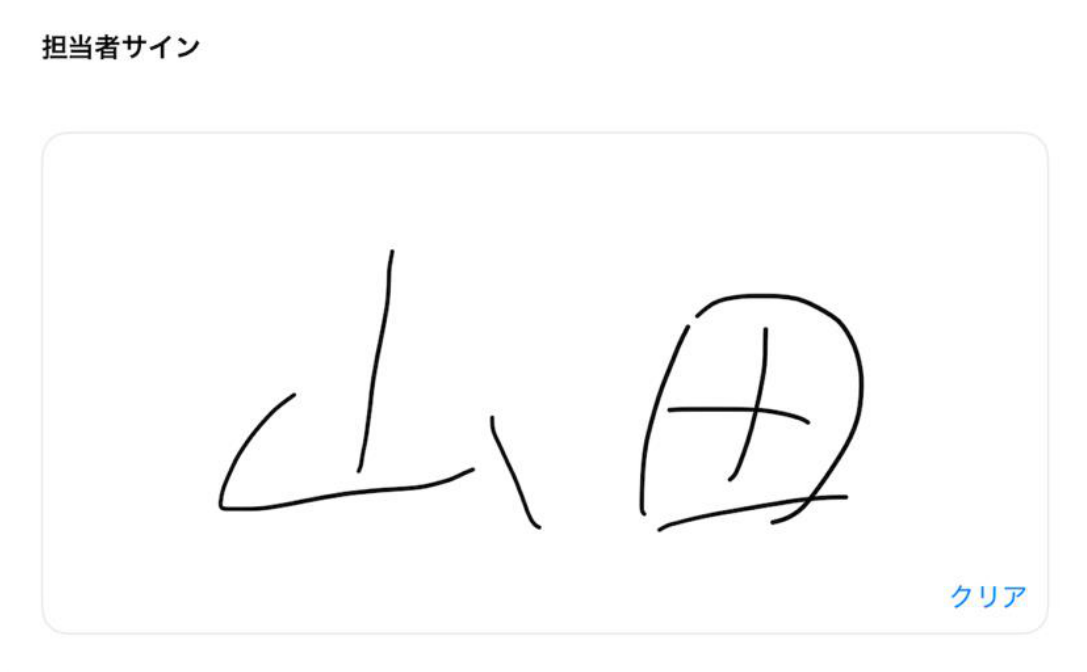
You can choose from a variety of interfaces designed for on-site work and apply them to your kintone app's fields. For example, you can set up interfaces like these:
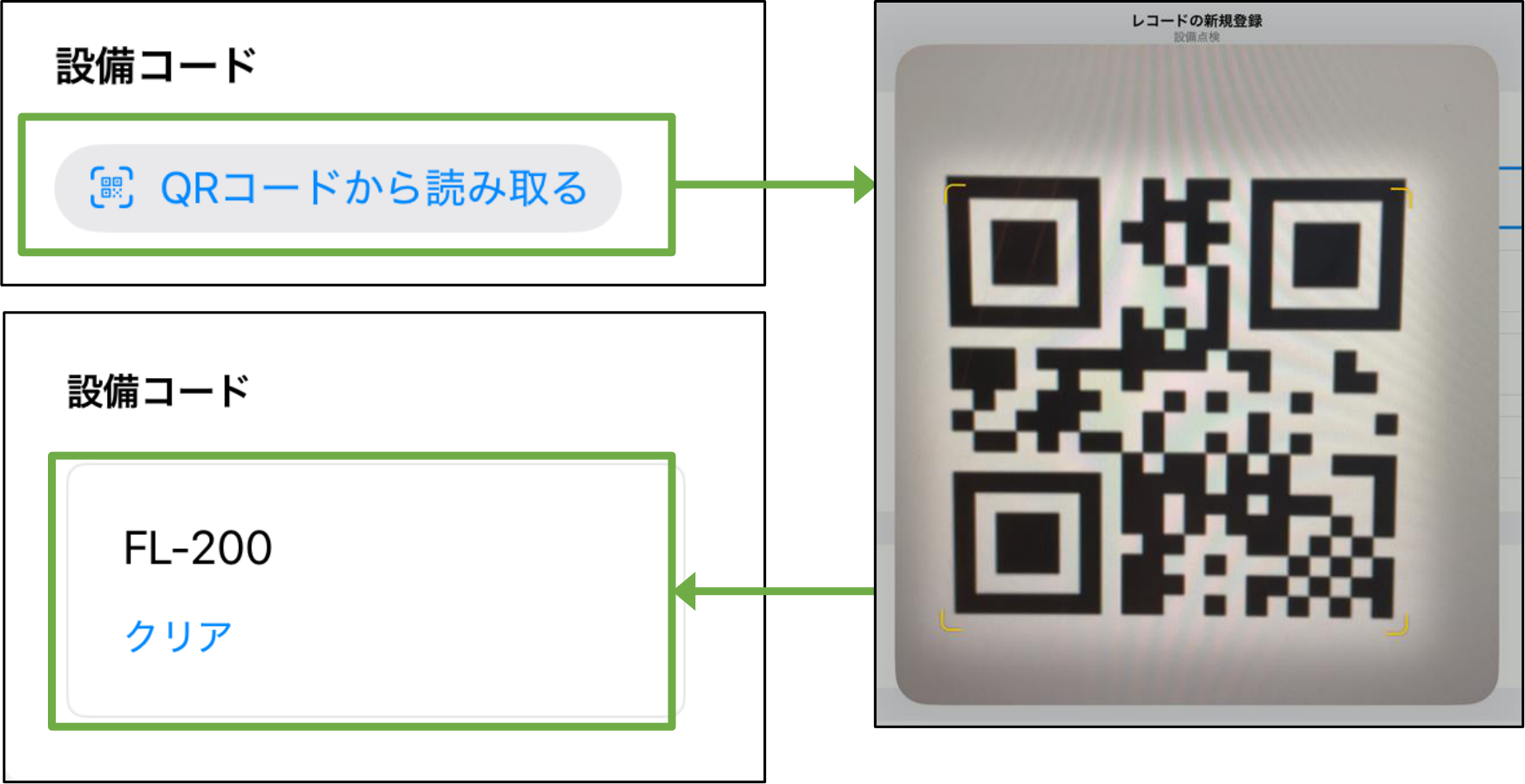
You can use the iPad camera to scan a QR code and register the result to a "Lookup" field.
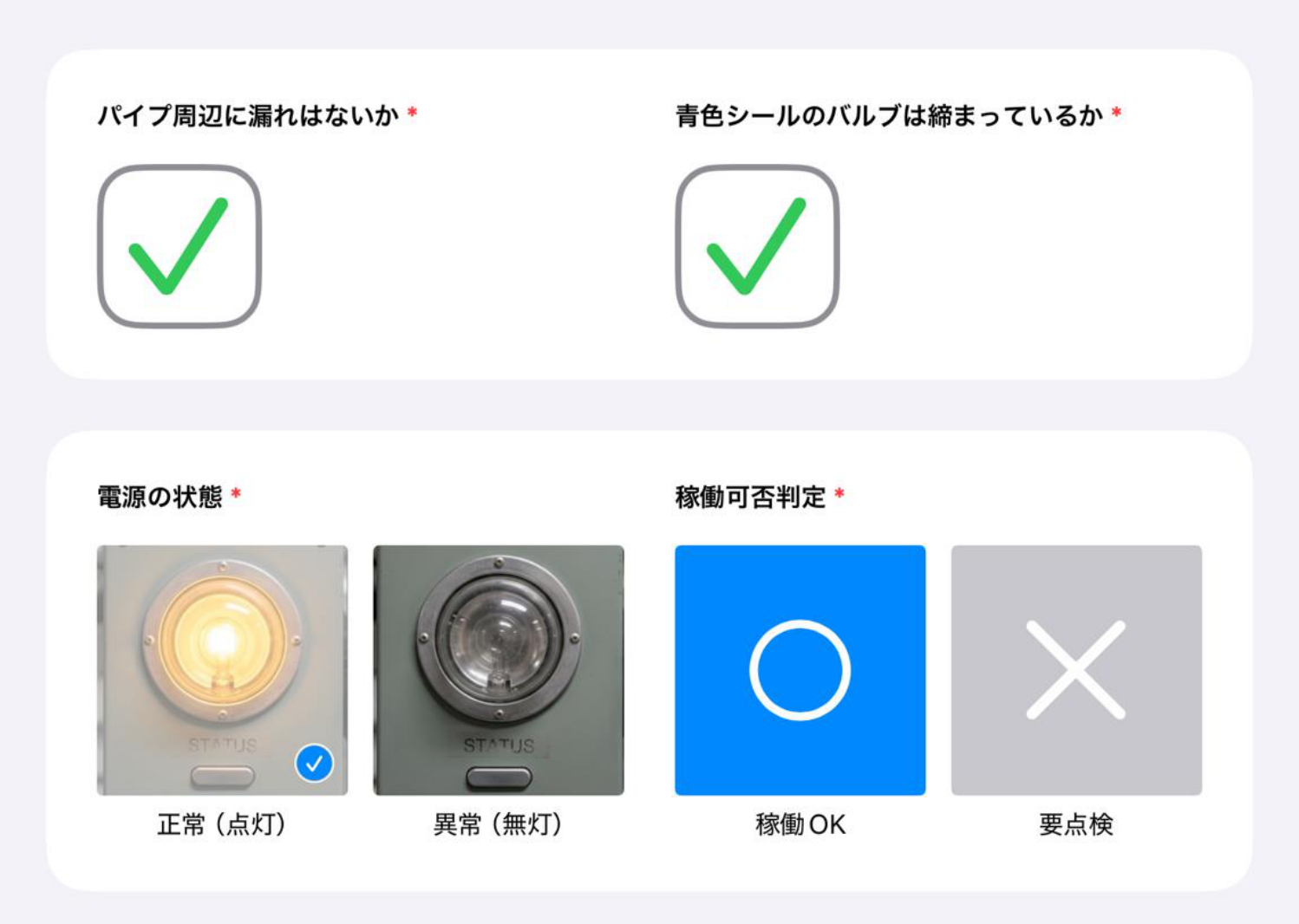
■You can create more than one input form for a single app
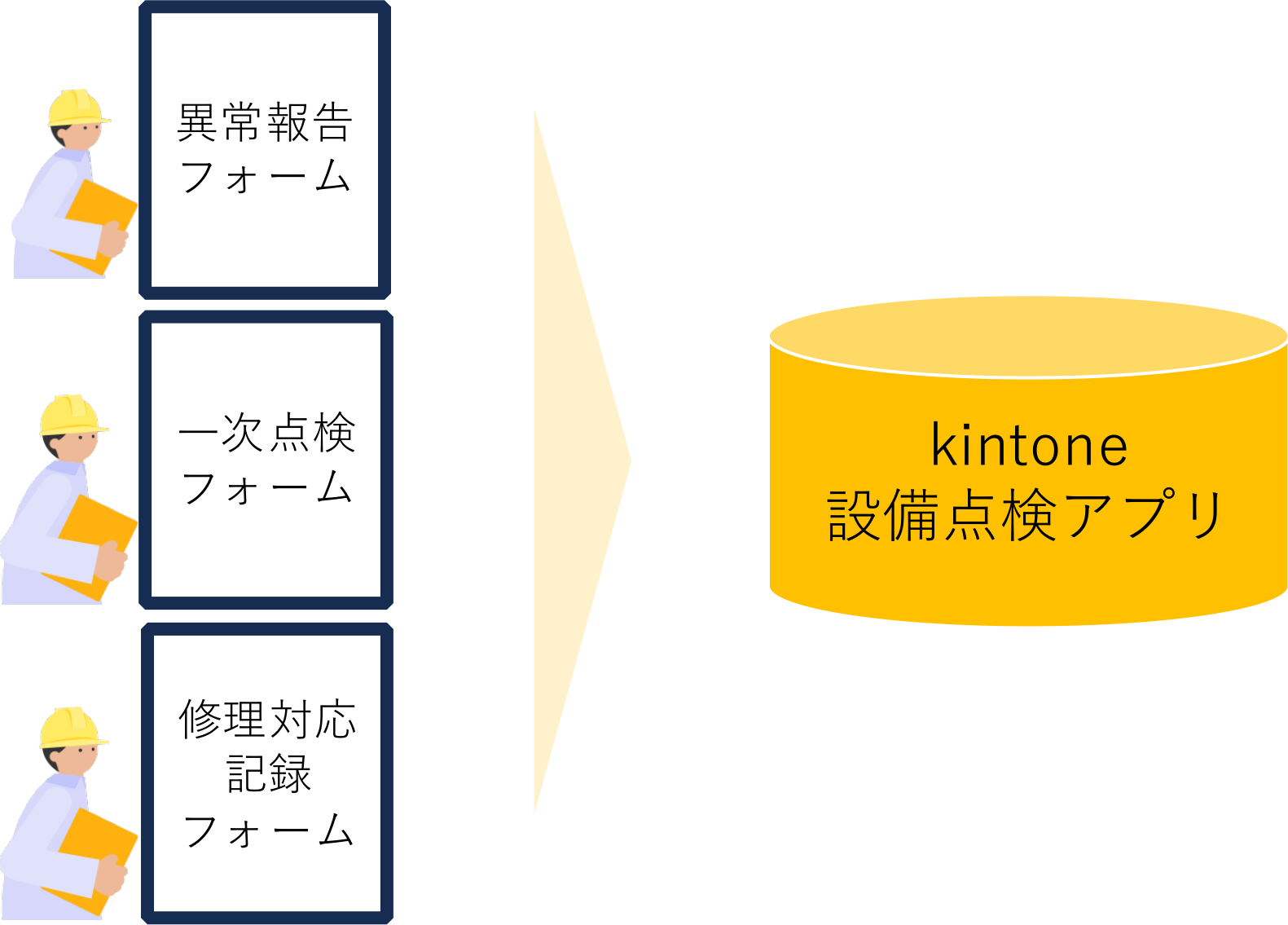
You can create several different iPad input forms for a single kintone app.
For example, say you want all your data in one app, but different people enter it at different times. You can set up a separate iPad input form for each situation, so each person only sees the fields they actually need to fill in.
PlatformFurther improvements:
- Front-end infrastructure update (space and thread screens)
- Front-end infrastructure update (space and thread screens)
We're still accepting feedback and feature requests through the Help us improve kintone form.
Improvements to the rich text editor's display and usability
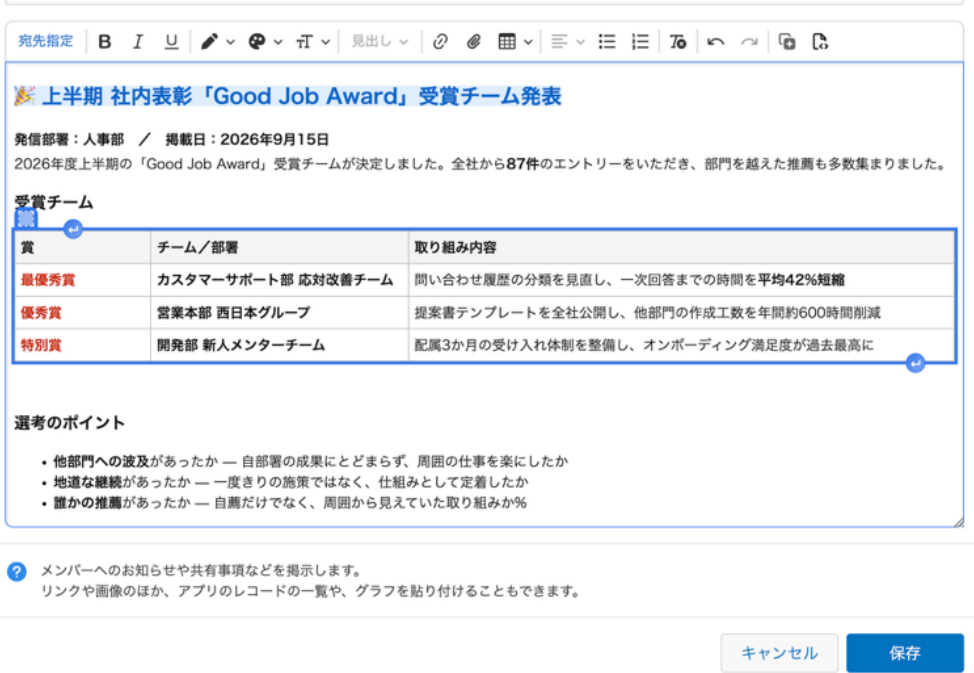
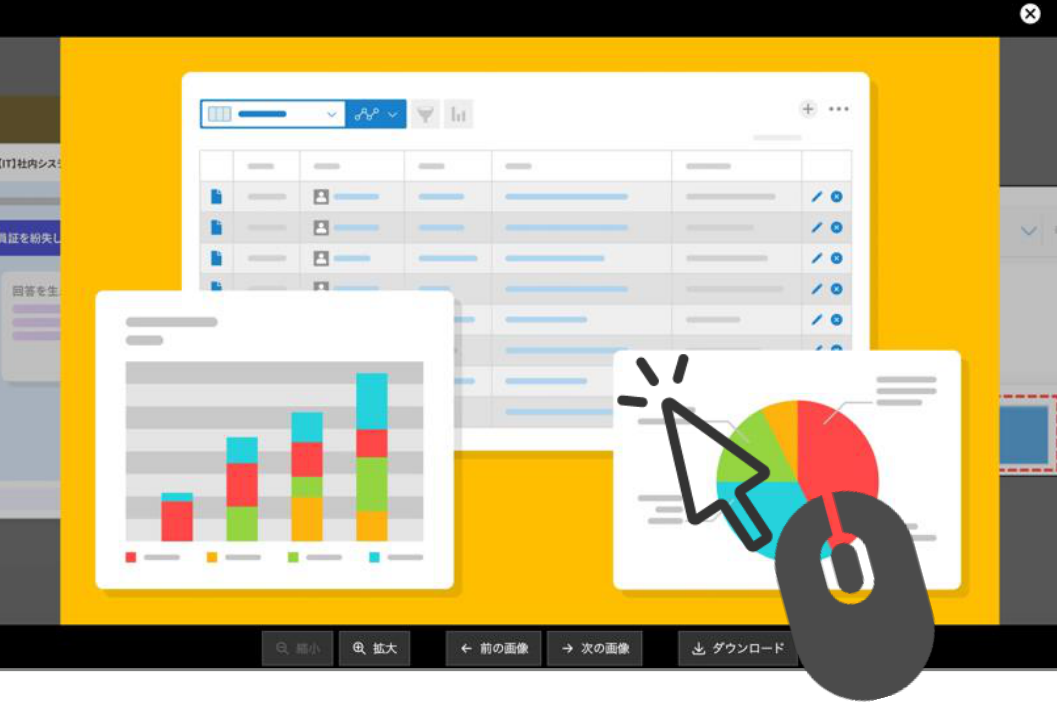
Improved usability for image slideshows
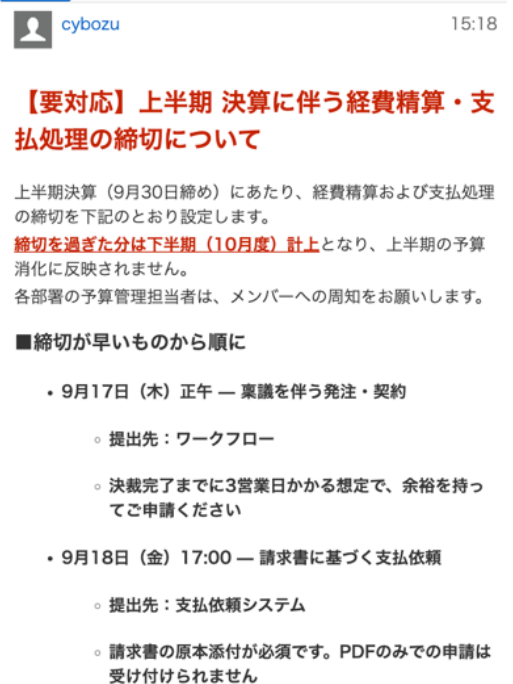
Improved mobile display
We've also made a number of other improvements since release.
Posting and display
- Long text no longer breaks the layout — you can now scroll horizontally to read it comfortably.
- Fixed an issue where posts opened from a notification would appear twice
- Prevented accidental double-posting caused by misclicking the "Post" button
Images and files
- Faster loading for threads with a lot of images
- Links set on an image now support "Open in new tab"
- Fixed heading sizes changing unexpectedly when content is copied over using a thread action
Keyboard and assistive technology
- Screen readers can now read mention suggestions aloud
- Improved focus movement with the Tab key, and focus handling when editing alt text
- The thread list now opens in a new tab with Ctrl+click (Command+click)
JavaScript API (App)New JavaScript API for generating text with generative AI added to the API Lab
For example, you could build a customization or plug-in that generates text from a record's contents — summarizing a sales meeting, or drafting a reply to an inquiry.
| An API for generating text using generative AI | kintone.ai.generateText() |
REST APIsThe API for searching across kintone now supports searches that include related terms
| All-contents search API | [POST] | /k/v1/search.json |
You can combine it with other search conditions, like sorting by relevance or specifying which apps and spaces to search.
We'll keep working on ways to improve and expand search conditions and results, and we'd love your feedback — you can send it through the Help us improve kintone form.
Changes to update options
| Disable new features | ||
|---|---|---|
No change Always display AI icon (only for kintone administrators and Users & system administrators) | Can be disabled until the November 2026 scheduled update. | |
No change Banner notifying kintone administrators and Users & system administrators of kintone AI credit usage approaching or reaching the limit | ||
No change Ability to use OR search | ||
No change Enhanced JavaScript API support (June 2026 version) | ||
No change Front-end update for the header and global navigation bar in the mobile-optimized view | ||
No change Ability to use AI View Analysis with the mobile app for iOS/Android (Available in kintone AI) | ||
No change AI feature usage audit logging (Available in kintone AI) | ||
No change AI App Creator chat window design changes and ability to launch from the form settings screen | ||
No change Notifications for updates to records being viewed or edited | ||
No change Sort search results by relevance | ||
No change Add filter conditions on the "App management" screen | ||
No change Switch between the classic and new "Notifications" screens | ||
No change Use AI Thread Summary in the Android app (Available in kintone AI) | ||
No change Expansion of the maximum number of additional portals | ||
No change JavaScript API field change event for lookup fields | ||
No change Front-end update for "Assigned to me" and settings screens (mobile view) | ||
No change Front-end update for the search screen (mobile view) | ||
No change Disable "Use AI in the mobile app to organize spoken input into the appropriate fields (Available in kintone AI)" | Can be disabled until the February 2027 scheduled update. | |
No change Disable "Ability to include or exclude apps and spaces in the search scope" | ||
No change Disable "Additional items available as filter conditions on the App management screen" | ||
No change Disable "Front-end infrastructure renewed for the top page of the App settings screen" | ||
No change Disable "Open the 'App settings review' screen from the 'kintone AI management' screen" | ||
New Disable "JavaScript API for changing and checking the display status of the Add row/Delete row buttons in Table fields" | ||
New Disable "New 'Dashboard' category on the kintone administration home page, grouping links to related features" | ||
| Preview upcoming new features | ||
None | ||
| New features under consideration | No change Improved kintone Administration Design ("Header Color" Screen Design and Layout Change) | |
No change Front-end updates to "Create from Excel" app creation screens and changed import error handling | ||
No change Ability to find apps with AI (Available in kintone AI) | ||
No change Front-end update for the "Portal" screen (desktop and mobile views) | ||
Content update Enable "Front-end infrastructure renewed for the desktop and mobile Space/Thread screens" | ||
No change Front-end updates to "Create from CSV" app creation screens and changed import error handling | ||
Content update Enable "REST API for searching across kintone" | ||
No change Front-end update for People pages and the "Messages" screen (desktop and mobile views) | ||
No change Front-end updates to the "Exported files" screen | ||
No change Front-end updates to the "Export aggregation result to file" screen | ||
No change Enable "Ability to visualize how long records stay in each status" | ||
No change Enable "Front-end infrastructure renewed for the 'Export to file' screen" | ||
New Enable "iPad app for non-desk workers" | ||
New Enable "kintone AI: JavaScript API for generating text with generative AI" | ||
Note that these features may be modified outside of scheduled updates. Check the "Update options" screen for the latest status. | ||
For details on how update options work and on each of the features currently available, refer to the following Help pages.
| Disable new features | |
|---|---|
No change Use the new method for external servers in email server settings | Can be disabled until the December 2026 scheduled update. |
For details on how update options work and on each of the features currently available, refer to the following Help pages.