
Setting the Model Used by AI Agents
You can select the model that the AI agent uses for tasks for each status.
The accuracy of the tasks and the cost required for the tasks vary depending on the model. For details on how to check the number of AI credits used by the AI agent, refer to the following page.
Checking the AI Credit Usage of Process AI Agents
Steps
By default, Auto is selected.
-
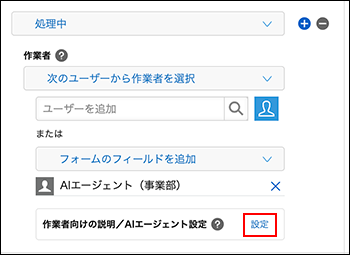
On the Process management screen, go to 3. Process flow settings and click "Settings" in the "Assignee instructions and AI agent settings" section for the status where the AI agent will work.
-
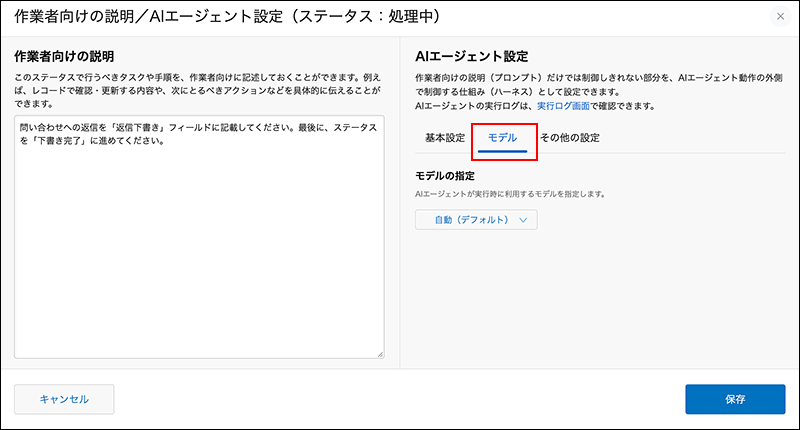
In the dialog's AI Agent Settings, open the "Model" tab.
-
Use the Model selection drop-down list to select the model you want to use.
The drop-down list shows the features of each model to help you choose. -
Click "Save" on the dialog.
-
On the "Process management" screen, click "Save" at the bottom right of the screen.
-
On the App settings screen, click Update app.
-
On the Update app dialog, click Update app.